Every rate in a Transparency in Coverage (TiC) machine-readable file has a negotiated type that tells you how to read the number. CMS allows five values: negotiated, fee schedule, percentage, per diem, and derived. Mixing them in one analysis is the most common way rate comparisons go wrong.
The five negotiated types
| Type | What the number means | Good for comparing providers? |
|---|---|---|
| Negotiated | Dollar amount the plan agreed to pay the provider for the service | Yes |
| Fee schedule | Dollar amount the plan uses to calculate the member's cost-sharing, when it differs from the negotiated rate | Usually, with care |
| Percentage | Percent of the provider's billed charges (e.g., 40.5 means 40.5%) | Only within the same provider; chargemasters differ |
| Per diem | Daily dollar rate, common for inpatient, psych, and long-term care | Only against other per diem rates |
| Derived | Price the plan assigns for internal accounting or reconciliation, often under capitation or bundles | Use selectively; methodology is usually undisclosed |
How to compare rates correctly
- Never average across types. Percentage and dollar values sit in the same negotiated rate field, so a 150 could mean $150 or 150% of charges.
- Start with negotiated and fee schedule for cross-provider or cross-payer benchmarks.
- Treat derived rates with caution. Useful for trend checks within one payer, not for market comparisons.
- Check the arrangement. A separate field, negotiation arrangement, says whether the rate is fee-for-service, a bundle, or capitation. Bundled and capitated rates cover more than one service.
In Gigasheet
Filter or group on the Negotiated Type column before aggregating. The Smart Rate flag gives you a comparable subset automatically; see Smart Rate Field. For how medians are calculated, see How Numbers Are Calculated. To explore rates visually, use the Price Transparency Explorer.
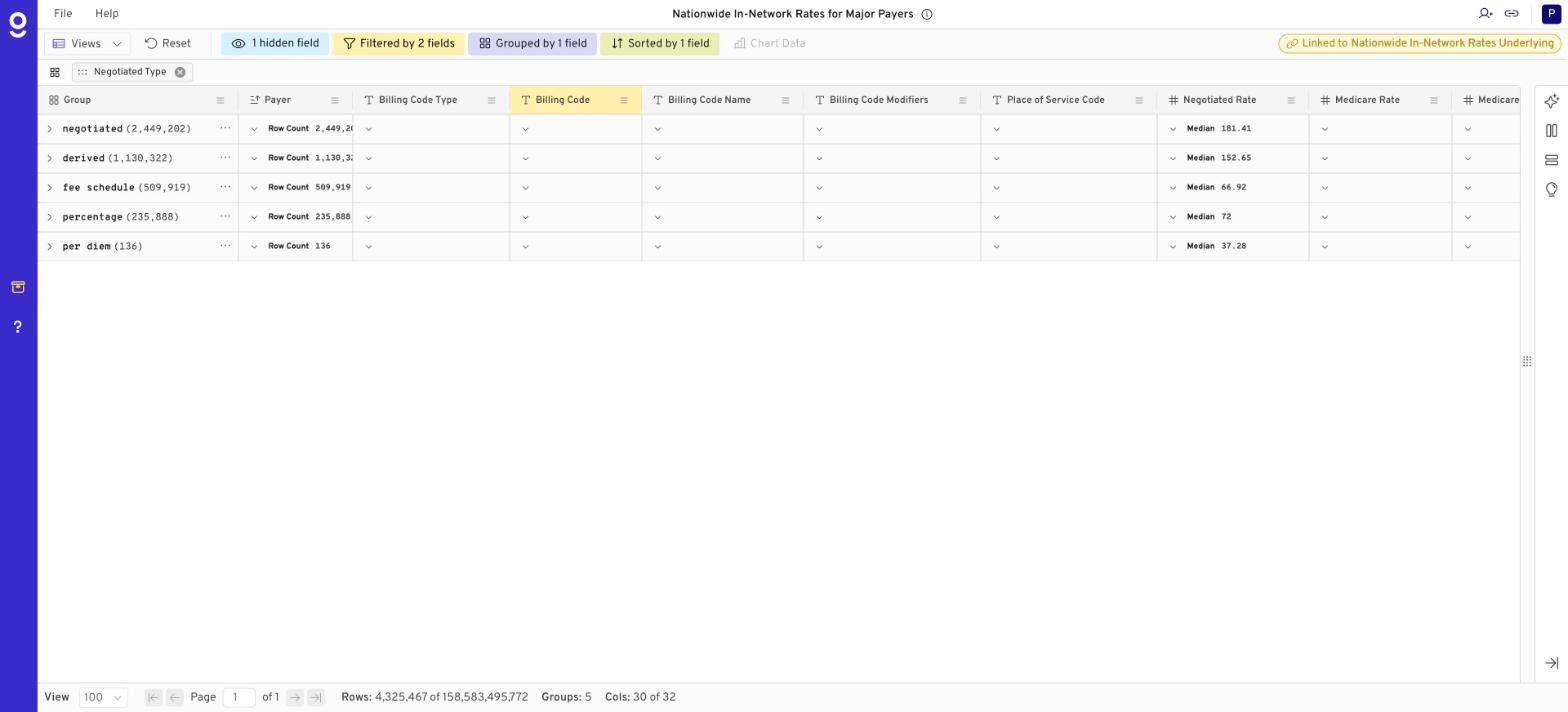
Example: Minnesota rates for CPT 99214 grouped by negotiated type. The percentage median of 72 means 72% of billed charges, not $72, which is why types should never be averaged together.
FAQ
Why does the same provider have multiple rates for one code?
Different plans, places of service, modifiers, billing classes, or negotiated types each get their own row.
Where are these types defined?
In the CMS Transparency in Coverage in-network rates schema.
Was this article helpful?
That’s Great!
Thank you for your feedback
Sorry! We couldn't be helpful
Thank you for your feedback
Feedback sent
We appreciate your effort and will try to fix the article