Getting Started with the Gigasheet API
The Gigasheet API enables you to automate Gigasheet workflows and connect Gigasheet with external services, databases, large language models (LLMs), and other applications.
You can use the API to programmatically import, retrieve, and manage data in Gigasheet. Common use cases include:
Loading or refreshing data
Automating repetitive workflows
Integrating Gigasheet with internal tools and applications
Generating reports or downstream data products
Building customer-facing applications powered by Gigasheet
Note: Make sure your subscription supports your intended API usage to avoid interruptions. For high-volume workloads or customer-facing production applications, contact us to discuss an upgrade.
Get Started
Generate an API key using the instructions below.
Review the Gigasheet API documentation.
Generate an API Key
Once API access is enabled for your account, you can generate an API key:
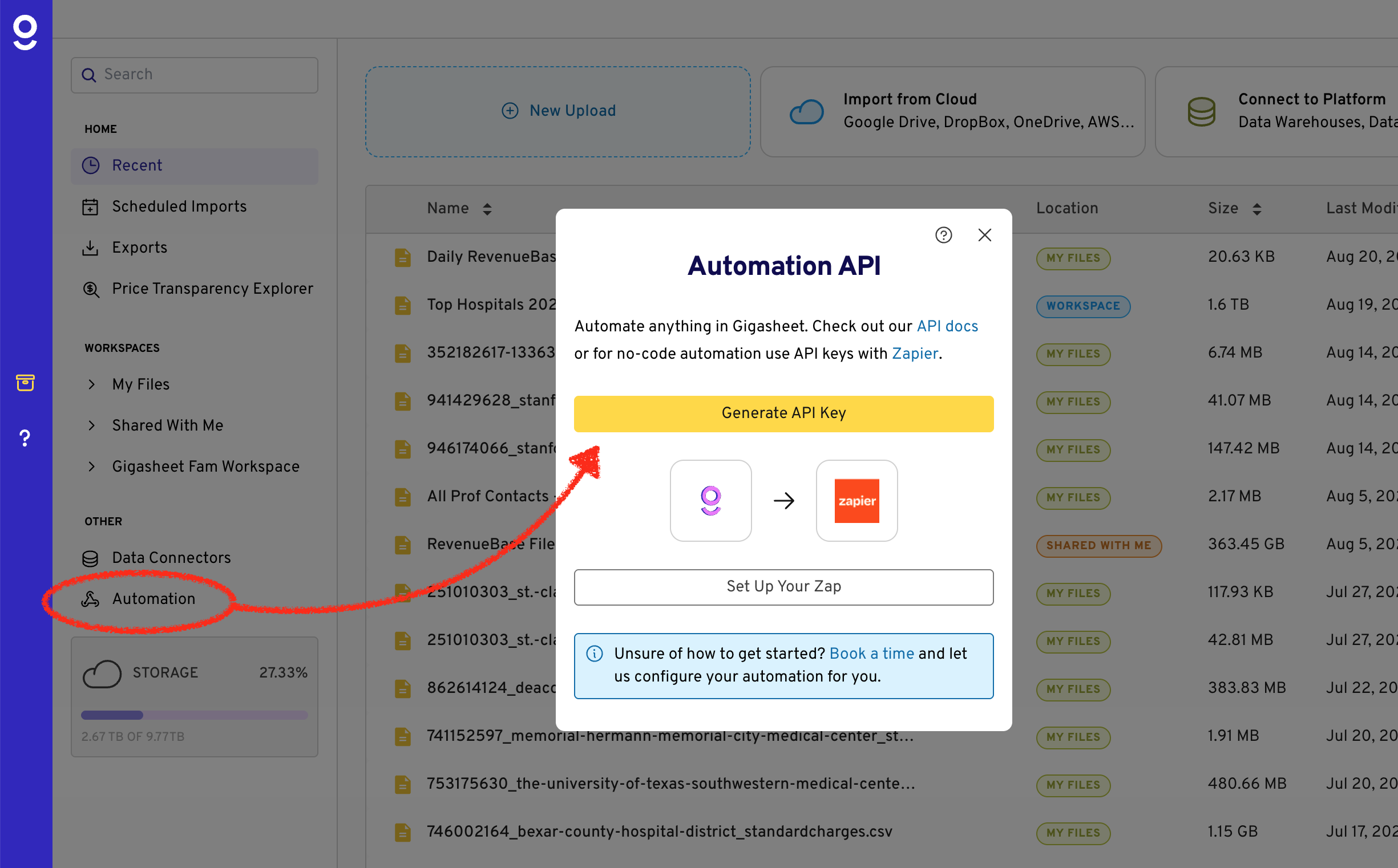
Open your Gigasheet Library.
Select Automation from the left navigation menu.
Follow the prompts to generate your API key.
Store your API key in a secure location. For security reasons, it is displayed only once and cannot be viewed again after it is created.
Key Rotation: You can generate a new API key at any time. Generating a new key will immediately invalidate your previous key, so any integrations using it must be updated.
Was this article helpful?
That’s Great!
Thank you for your feedback
Sorry! We couldn't be helpful
Thank you for your feedback
Feedback sent
We appreciate your effort and will try to fix the article