Clicking a Marker: ZIP Code Detail
Clicking any price marker opens a detail panel for that ZIP code. This panel shows:
- The ZIP code and city name
- The median negotiated rate across all matching providers in that ZIP
- The number of unique providers (distinct NPIs)
- The total number of individual rate records
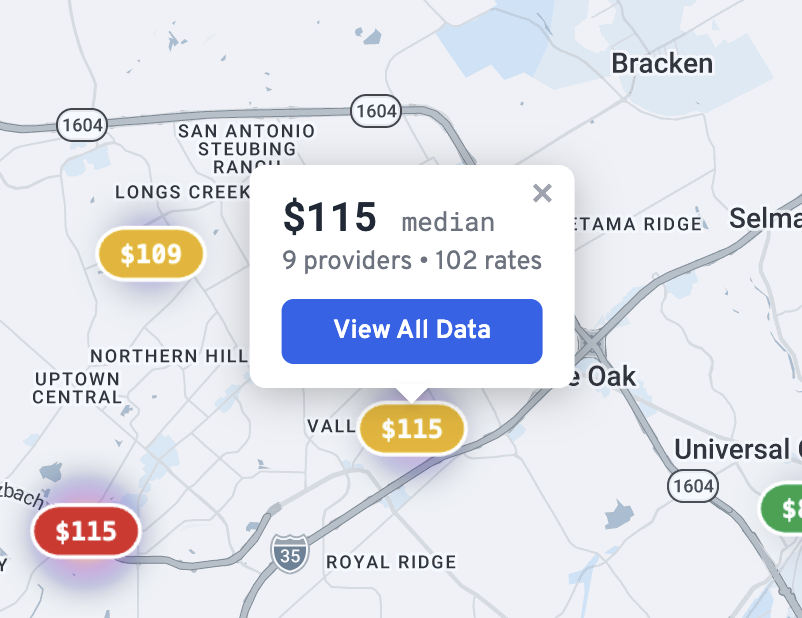
View All Data button opens the full rate table for that ZIP code.
Rate Data Table
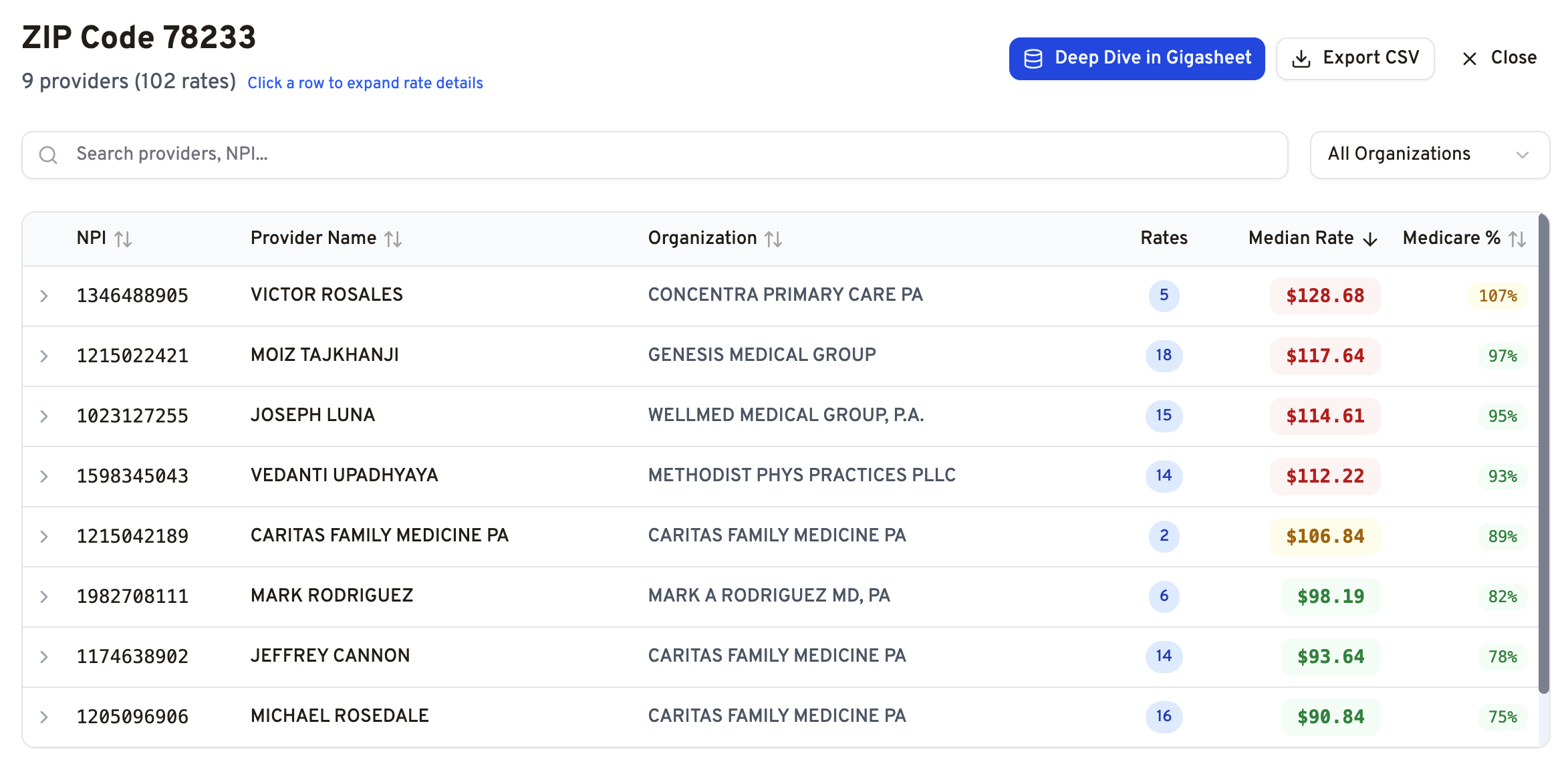
The rate data table shows a row for each unique provider (NPI) found in the selected ZIP code, given the active filters.
Each row displays:
| Column | Description |
|---|---|
| Provider Name | Billing provider or organization name, linked to an NPI registry lookup |
| NPI | National Provider Identifier (click to copy) |
| Organization | Organization name (if available) or Tax ID |
| Rate Count | Number of individual rate records for this provider in this ZIP |
| Median Rate | The median negotiated rate across all rate records for this provider |
| Medicare % | Median rate expressed as a percentage of the Medicare fee schedule (if available) |
Expanding a Provider Row
Clicking the expand arrow on any provider row reveals the individual rate records for that provider, including:
- Payer name
- Specific billing code
- Exact negotiated dollar amount
Sorting, Searching, and Exporting
Sorting is available on all columns by clicking the column header. Search filters the table by provider name or NPI. Export downloads the visible data as a CSV file.
Related: Map View: Overview and Price Markers · How Do I Export Price Transparency Data from Gigasheet? · How Numbers Are Calculated
Was this article helpful?
That’s Great!
Thank you for your feedback
Sorry! We couldn't be helpful
Thank you for your feedback
Feedback sent
We appreciate your effort and will try to fix the article