The Gigasheet Price Transparency Explorer lets you search and compare negotiated rates by provider, payer, and billing code nationwide. Below are answers to the most common questions about the data, the map, exports, and account access.
About the data
Where does the price transparency data come from?
The data comes from machine-readable files (MRFs) that health insurers publish under the federal Transparency in Coverage rule and that hospitals publish under the Hospital Price Transparency rule. Gigasheet processes these files into queryable rate data. See What's Included with Each Query for the fields returned.
What is a Smart Rate?
Smart Rate is a Gigasheet flag that marks negotiated rates suited for apples-to-apples comparison across providers and payers, so outliers don't skew your analysis. Turn on "Smart Rate Only" to apply it. The underlying raw rates are always available. Details: Smart Rate Field.
How are the numbers calculated?
Medians, ranges, and benchmarks are calculated from the rates matching your current filters. Before comparing rates, check the rate type; see What Are the Negotiated Rate Types in Price Transparency Data?. See How Numbers Are Calculated.
Using the map
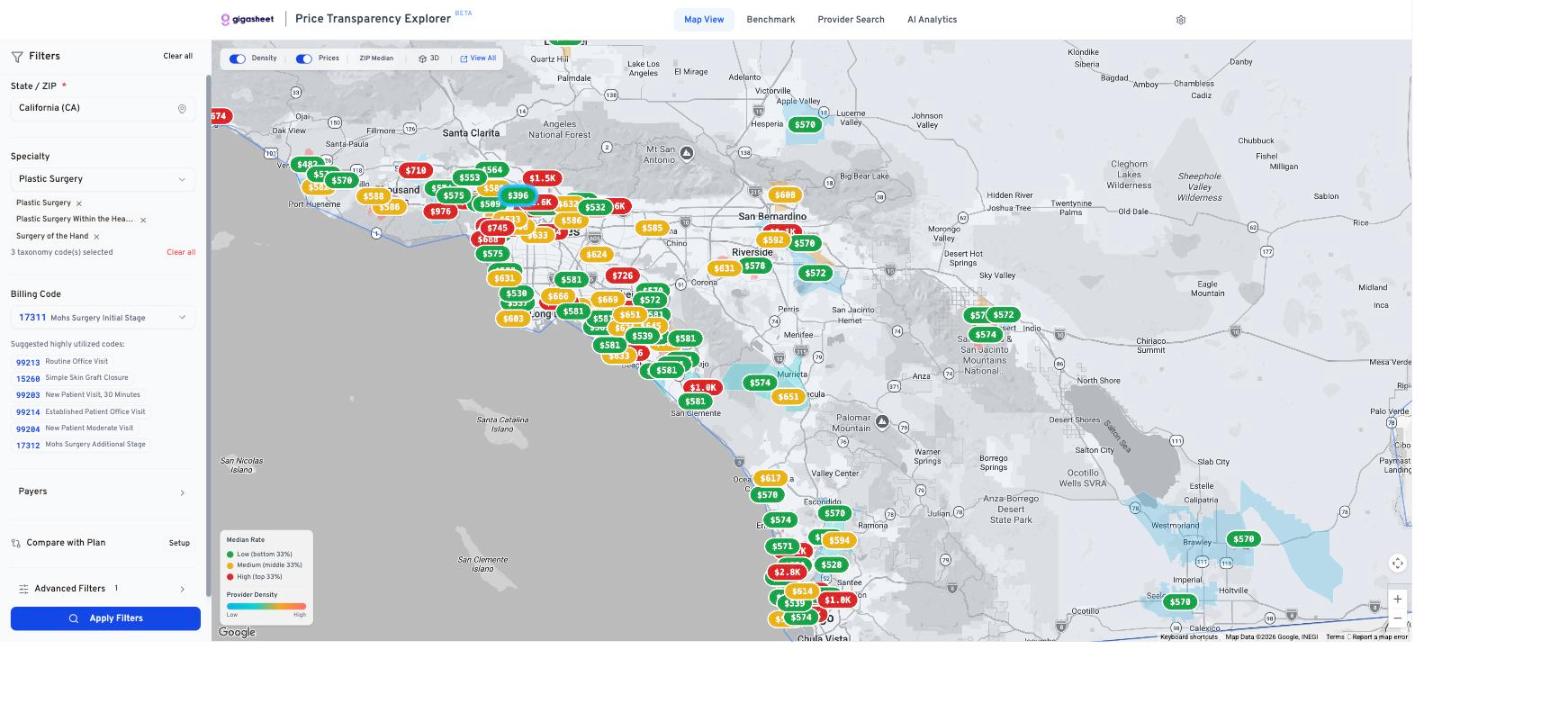
Why do map colors change when I change filters?
Color tiers (green, amber, red) are relative to your current results, not a fixed scale. When filters change, the thresholds recalibrate so the colors stay meaningful for what you're viewing. See Map View: Filters and Applying a Query.
Why does the rate table sometimes load slowly?
The rate table pulls matching rows in real time. A first query can take 10 to 30 seconds; repeat queries are faster due to caching. If a query times out, narrow it by adding a payer or billing code filter. More tips: How Do I Speed Up Queries on National Price Transparency Data?
Exporting
Can I export price transparency data?
Yes. The rate table's Export button downloads the visible provider summary as CSV, and expanded rate records can be exported too. Benchmark View results also export to CSV. See Benchmark View: Reading and Interpreting Results.
Access and login
Why was I logged out after leaving the app open?
Sessions expire after inactivity. Sign back in and your filters and settings are restored.
Why do I see "Insufficient Permissions"?
Usually an expired session. Sign out from the permissions page and sign back in. If it persists, submit a ticket to confirm a Price Transparency license is assigned to your account.
Was this article helpful?
That’s Great!
Thank you for your feedback
Sorry! We couldn't be helpful
Thank you for your feedback
Feedback sent
We appreciate your effort and will try to fix the article