When you build a useful query on price transparency data, such as rates for one billing code across payers in a state, you can save it as a View and share a link that opens it exactly as you left it.
Save a query as a View
- Build your query: filters, groupings, and aggregations (e.g., median negotiated rate by payer).
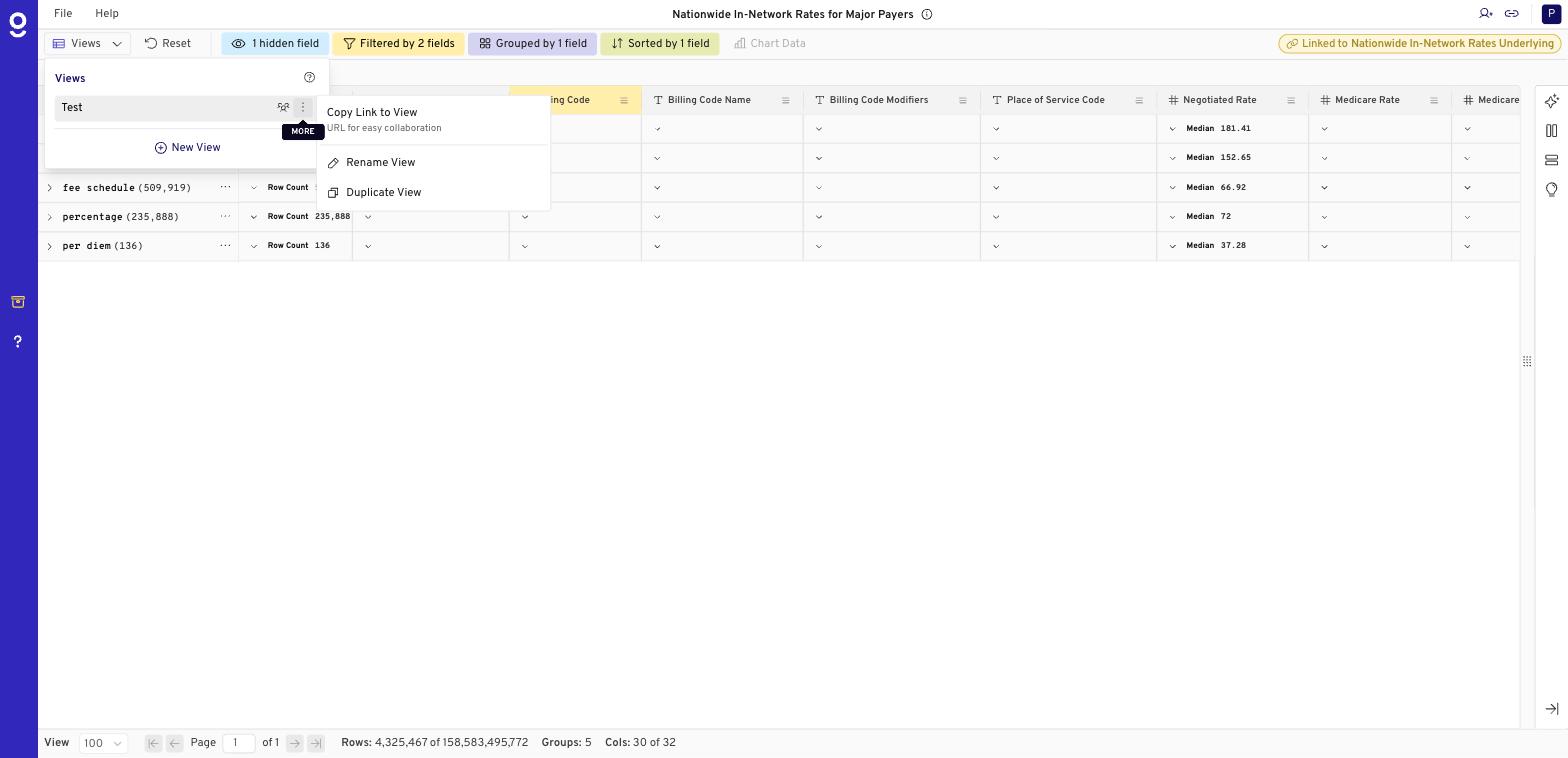
- Click Views in the top left.
- Click New View, name it, and click Add.
A View is a bookmark. It saves your filters, groupings, and aggregation settings, not a copy of the data, so it always reflects the latest rates.
Share a View
- In the Views list, click the three-dot menu next to a View and choose Copy Link to View.
- Anyone with access to the sheet who opens the link lands on the same filters and groupings.
Share without saving a View
Click the link icon in the top right to copy a link to your current query. It works the same way; you don't need to save a View first.
Get help faster
Stuck on a result that looks wrong? Include your link when you submit a ticket so our team sees exactly what you see.
Good to know
- Gigasheet remembers your last query. Close the tab and it reopens where you left off.
- Recipients need access to the underlying sheet.
- To take the data with you instead, use File > Download to export your filtered results as CSV. See How Do I Export Price Transparency Data from Gigasheet?
Related: How Do I Speed Up Queries on National Price Transparency Data? · Price Transparency Explorer FAQ · Price Transparency Explorer
Was this article helpful?
That’s Great!
Thank you for your feedback
Sorry! We couldn't be helpful
Thank you for your feedback
Feedback sent
We appreciate your effort and will try to fix the article